Meet Qlix Go: AI quizzes that turn into games - and mark themselves
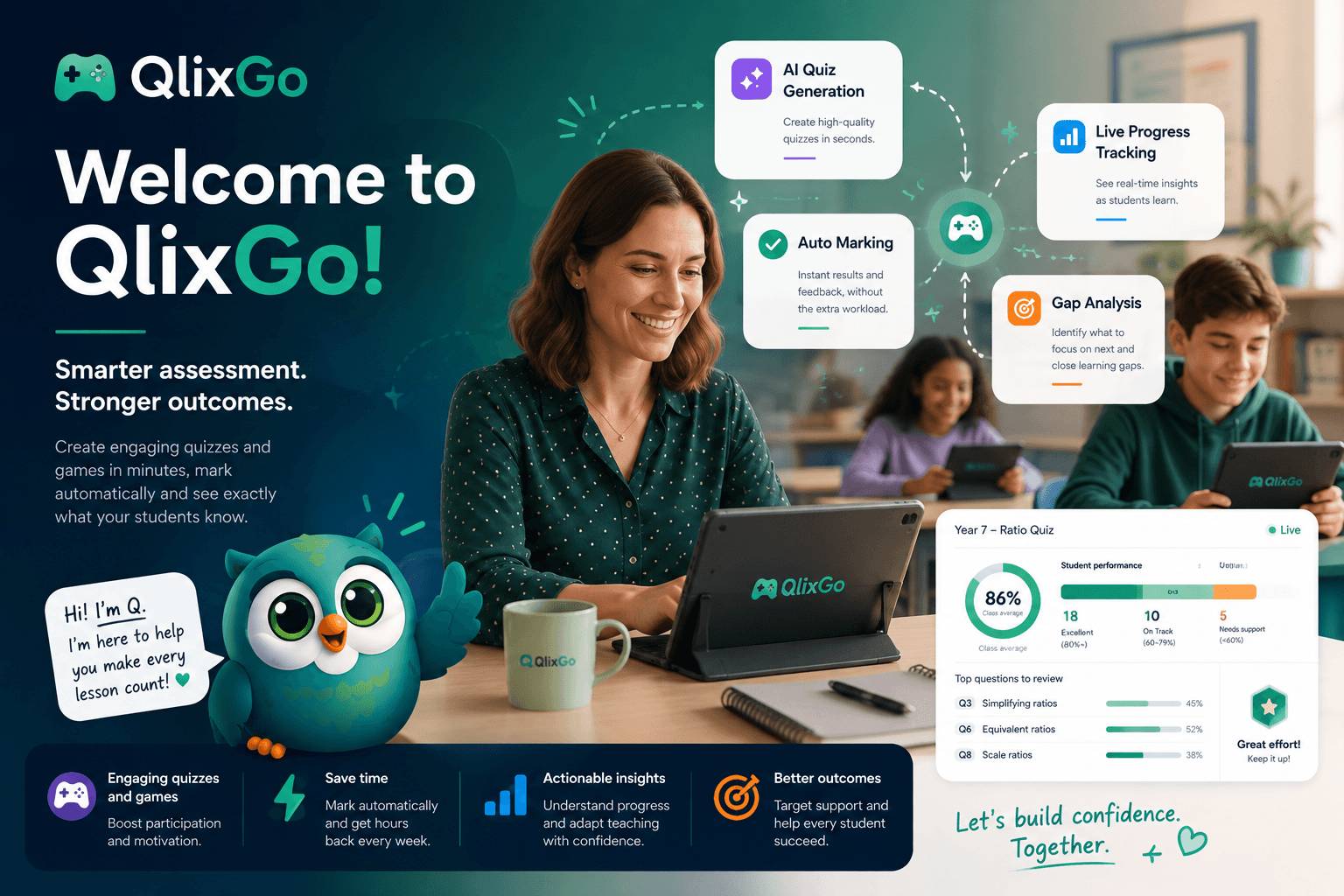
Qlix Go takes both jobs off your plate. You describe a topic, the AI drafts the quiz, one click turns it into a game your class actually wants to play - and every answer marks itself.
Two jobs used to swallow my evenings when I taught maths: building the quiz, then marking the quiz. A decent set of questions was an hour gone. Marking thirty of them by hand was another. And the payoff for all that effort? A pile of paper and a number in a book.
Qlix Go takes both jobs off your plate. You describe a topic, the AI drafts the quiz, one click turns it into a game your class actually wants to play - and every answer marks itself. Quiz in, game out, no marking pile. That's the whole idea.
Here's what it does.
Describe a topic, get a quiz
Type in the subject, the topic and the level, and Qlix drafts curriculum-aligned questions in seconds. You're not stuck with whatever it spits out, either - you review and tweak every question before you accept it, so it's your quiz, just built in a fraction of the time.
It's not all multiple choice, which matters if you actually want to test understanding. You get MCQs, free-text answers, ordering questions and sliders - enough range to check whether a class can do the thing, not just recognise the right option in a list.
It marks itself - and marks fairly
This is the bit that would have saved me most.
Every attempt is marked automatically. Free-text answers get normalised and fuzzy-matched so a right answer doesn't get failed on a stray capital letter or a typo, and the AI steps in on the near-misses — the "technically correct but phrased oddly" ones that a rigid auto-marker would wrongly mark down. You get consistent, unbiased scoring across the whole class, instant feedback for every student, and evidence you can spot-check rather than a black box.
Same marking, every kid, in seconds. No red pen. No Sunday.
Every quiz becomes a game
Build the quiz once and Qlix wraps it in a game skin - Space Race, Tower Builder, Percy's Farm - so every correct answer feels like a win instead of a tick. The kids get a game they genuinely want to play; you do zero extra prep to make that happen. And if you just want a straight quiz on a given day, the classic player is still right there.
Run it live and you can watch the whole thing unfold: answers streaming in, real-time completion bars, a per-question heat map showing exactly which question tripped the room up, and a nudge when a student stalls. You see who's racing ahead and who's quietly stuck during the lesson - not when you're marking it three days later.
Share it, borrow it, start free
There's a public catalogue of teacher-made quizzes you can play as games, try anonymously, or fork straight into your own library and rework for your class. Standing on other teachers' shoulders instead of starting from a blank page - the way it should be.
Students don't need an account or a login. You hand them a code, they type it in, they play. No sign-up wall, no forgotten passwords, no faff at the start of the lesson.
And it's free forever for a starter library. You upgrade when you want the AI generation, private games, unlimited runs and the premium skins - plans that scale with your classes rather than a wall you hit on day one.
Part of something bigger, if you want it
On its own, Qlix Go is a proper quiz-and-game tool that happens to build and mark itself. But it's also the student-facing side of Qlix, the full teaching workspace. If you use both, the evidence students generate on Go flows into your planning and markbook - so Friday's quiz becomes the thing that shapes Monday's lesson, instead of a score you note and forget.
Use it standalone. Use it as part of the set. Either way, the quiz builds itself, marks itself, and turns into a game the class wants to play.
Give it a go - free, no card, and about two minutes to your first quiz.
→ Start free at qlixgo.com
— Alex, founder of Qlix (maths teacher, before this)
Comments
No comments yet